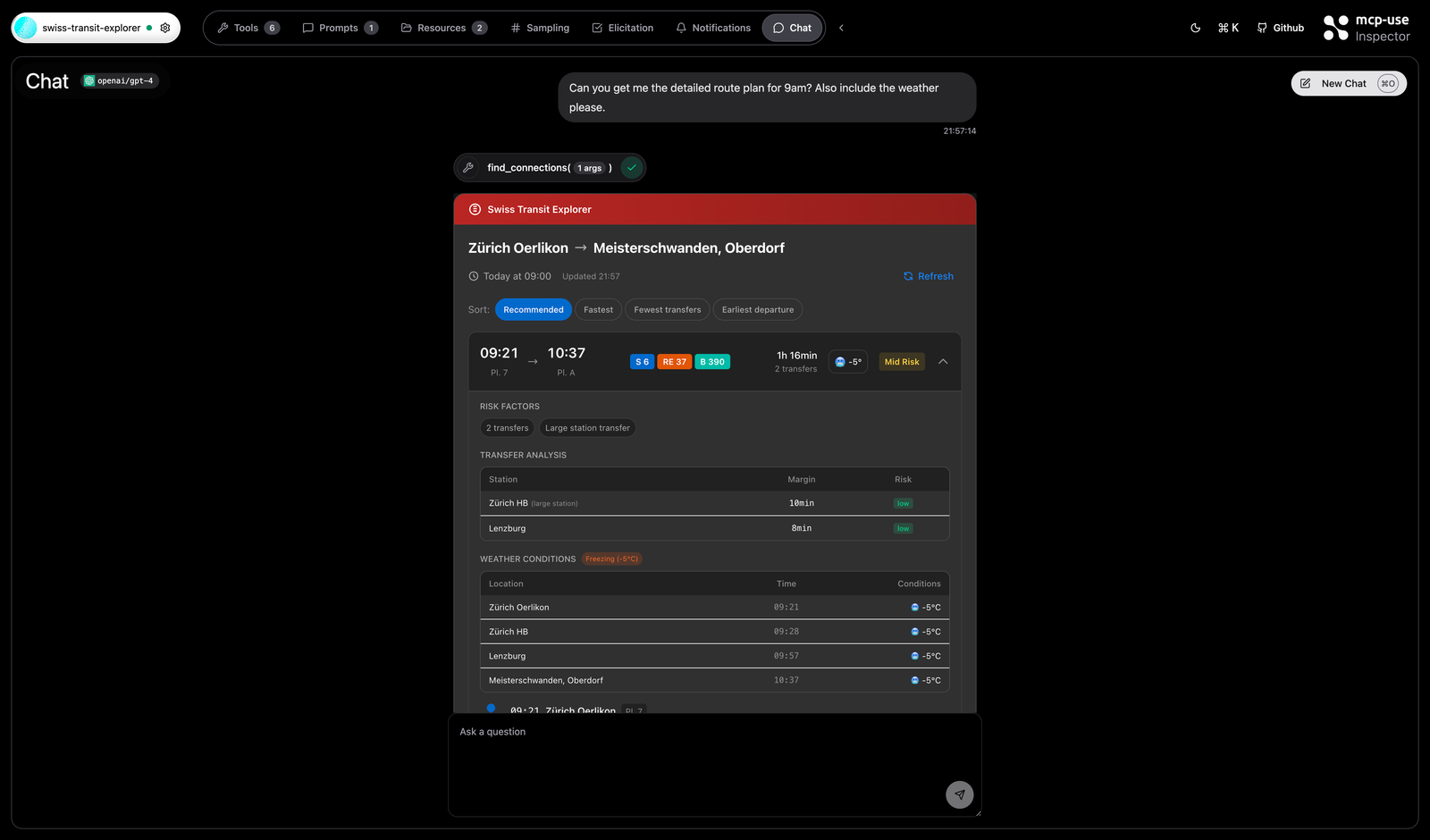
This is the full story behind Swiss Transit Explorer, the first MCP server and ChatGPT app I built with mcp-use. I wanted my local site to carry the whole narrative, not just a shortened summary, because the context matters: the motivation, the protocol shift, the train ride itself, and the very practical reality of debugging a young stack while building against it.
At a surface level, the project is straightforward: Swiss public transit planning with route ranking, risk scoring, disruption checks, weather-aware tradeoffs, and ChatGPT widgets. But the actual reason the project exists is that I wanted to understand what MCP feels like when you move beyond reading about it and start shipping something with it.
The app ended up being a compact but real MCP product, not just a demo wrapper: tools, structured inputs, widgets, deployment issues, production failures, and the sort of design tradeoffs that only show up once an idea has to survive contact with an actual runtime.
Motivation
A lot of developers recently had the same reaction to the new AI tooling wave: the ground shifted fast. Andrej Karpathy’s post about feeling more behind than ever as a programmer captured that mood perfectly. It was not just about one library or one model release. It was about a new abstraction layer forming around prompts, agents, memory, permissions, workflows, IDE integrations, and protocols like MCP.
The Postman State of the API Report sharpened that feeling. It framed APIs as AI infrastructure, not just developer plumbing. Once AI agents are consumers, machine-readable tool surfaces stop feeling optional.
That resonated with the kind of work I had already been doing in XR: taking emerging capabilities and turning them into something developers can actually use. MCP felt like that same problem appearing in a different layer of software.
MCP to the rescue
MCP matters because it replaces “here are some docs, hopefully the model infers the right call” with explicit tools, parameters, and boundaries. It makes APIs and services legible to machines in a more structured way.
At the same time, it is easy to see why adoption is still early. The blockers are familiar:
- Lack of mature tooling: developers want templates and workflows, not just a protocol spec.
- Awareness without implementation confidence: many people know MCP exists, far fewer know how to build with it.
- Perceived complexity: it can feel like you need to re-architect everything.
- Unclear short-term ROI: many teams have not yet felt enough agent pressure to prioritize it.
That was exactly why I wanted a first project that was small enough to finish quickly but real enough to make the protocol concrete.
Why mcp-use clicked for me
Most of my background is in XR, Unity, and C#. I did not want my first MCP build to turn into an exercise in fighting boilerplate TypeScript or Python before I even touched the actual product problem.
mcp-use changed that. It gave me an opinionated but flexible bridge into the stack: servers, clients, agents, the inspector workflow, and a path toward Apps SDK style UI surfaces. That was enough to make MCP feel buildable instead of abstract.
In practice, it meant I could focus on designing the right tool surface and decision flow rather than getting lost in protocol scaffolding.
Why this deserved to be an MCP app
I did not want to build a transit lookup that simply mirrors an API. A standard app can already tell you what connections exist. The interesting question is which option should I take and why?
That led to the core product framing:
- turn raw timetable output into ranked options
- surface reliability and delay context automatically
- treat weather as a real planning factor when relevant
- render it in ChatGPT as widgets rather than a wall of text
That was the line between a “train app inside chat” and an actual MCP-worthy product.
The train ride to Italy
I had been thinking about a future where assistants, not app stores, become the default entry point. Instead of opening a dedicated tool for every task, you ask an assistant what you want, and it either finds the right capability or calls the right service on your behalf.
That made the train ride itself the perfect forcing function. I was traveling to Italy, thinking about schedules and planning anyway, and had a long uninterrupted block of time. So instead of reading more posts about MCP, I decided to build the first thing that felt concrete enough to matter.
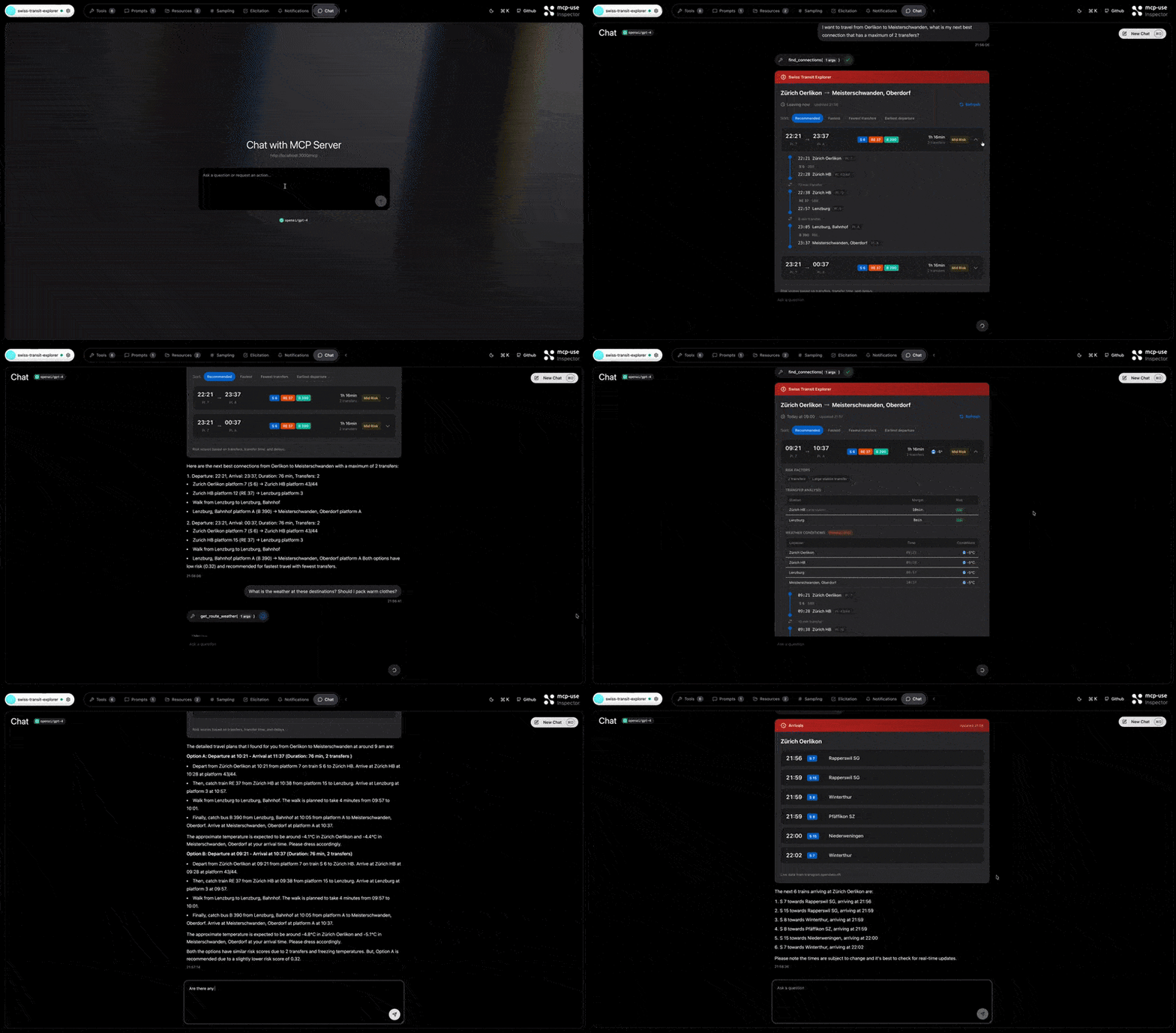
I started in ChatGPT, feeding it relevant context from the mcp-use docs and Swiss public data sources, then moved into Cursor with a much clearer plan. That sequence mattered. The LLM framed the problem first, then helped execute it. Within a couple of hours I had a working server, the first widgets, and enough of the tool layer to prove the concept.
Goals
- Provide decision-ready routing, not just timetables.
- Rank options by risk, including transfers, delays, and exposure.
- Keep tool calls efficient so tokens and external API usage stay under control.
- Render results as ChatGPT widgets.
- Support optional weather and GTFS enrichment without forcing them into every request.
Phase 1: Project setup
I started from the Apps SDK template and replaced the demo surfaces with widgets that actually fit the problem:
transit-route-explorerdepartures-board
I deliberately kept the inspector loop because it made tool iteration fast. Before worrying about deployment, I wanted the local reasoning and UI flow to feel correct.
Phase 2: Core tools
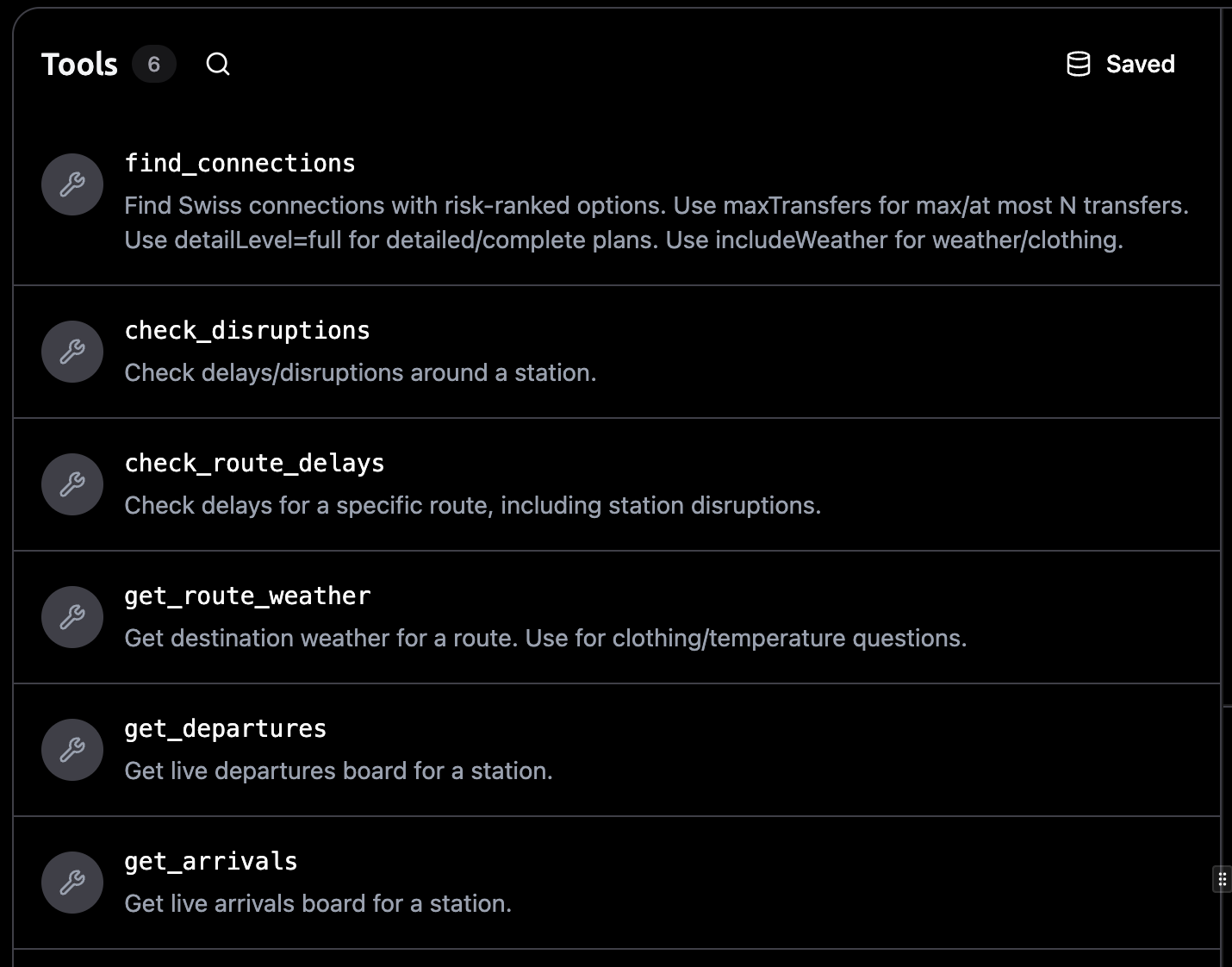
The base tool layer was built on top of transport.opendata.ch. The important thing was keeping the tools narrow and composable instead of building one giant everything-tool.
- find_connections for route discovery
- get_departures and get_arrivals for live station boards
- check_disruptions and check_route_delays for reliability context
- get_route_weather for optional weather advice and exposure checks
The goal was to let the model compose the right behavior without drowning it in unnecessary surface area.
Phase 3: Decision layer
This was the turning point. Raw connections were not enough. I wanted the app to attach actual judgment to the choices.
That meant adding:
- reliability scoring based on tight transfers, delays, and peak-time friction
- risk levels derived from the underlying score
- walking and exposure accounting
- buffer-aware logic for arrive-by requests
That is what turned the output from “available routes” into something closer to a recommendation system.
Phase 4: Optional weather
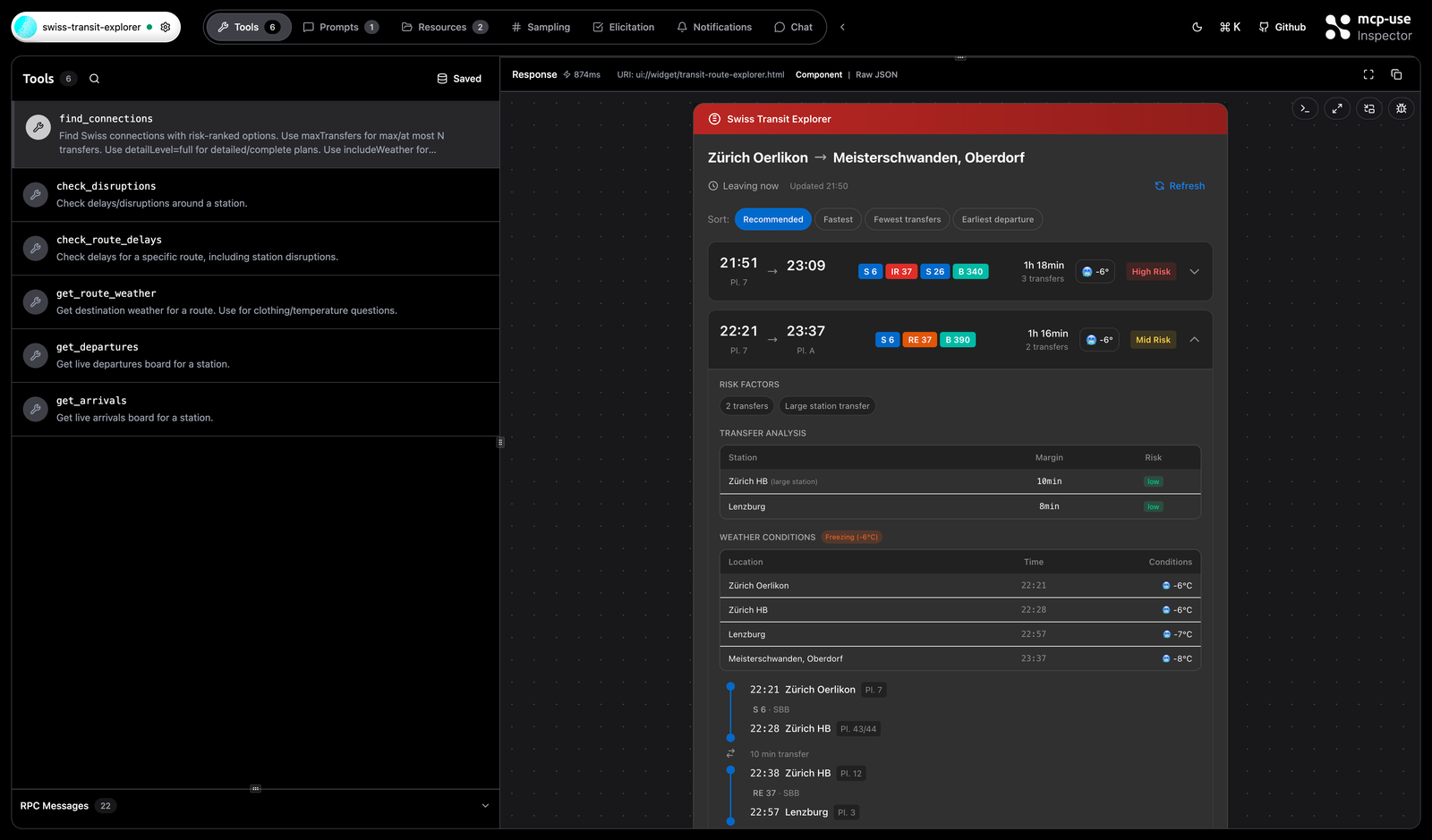
I integrated Open-Meteo, but only as an explicit request path. That choice kept the app smaller, faster, and less noisy. Weather should act as a real planning constraint when asked for, not permanent decorative metadata.
Phase 5: GTFS line mapping
One of the most important credibility improvements was GTFS mapping. People should see IR 16, S11, or Bus 390, not opaque raw identifiers. The moment the line names became readable, the app felt much more trustworthy.
Phase 6: UI refinement
I let the model produce ambitious UI early on, and it became overloaded fast. The inspector made that obvious. Too many labels, too much metadata, too many cues competing for attention.
The fix was simplification:
- remove redundant tags
- replace detailed scoring displays with a simple risk pill
- keep detail available, but not dominant
- use calmer phrasing and layout
This made the interface feel far more like a product and far less like an internal diagnostic panel.
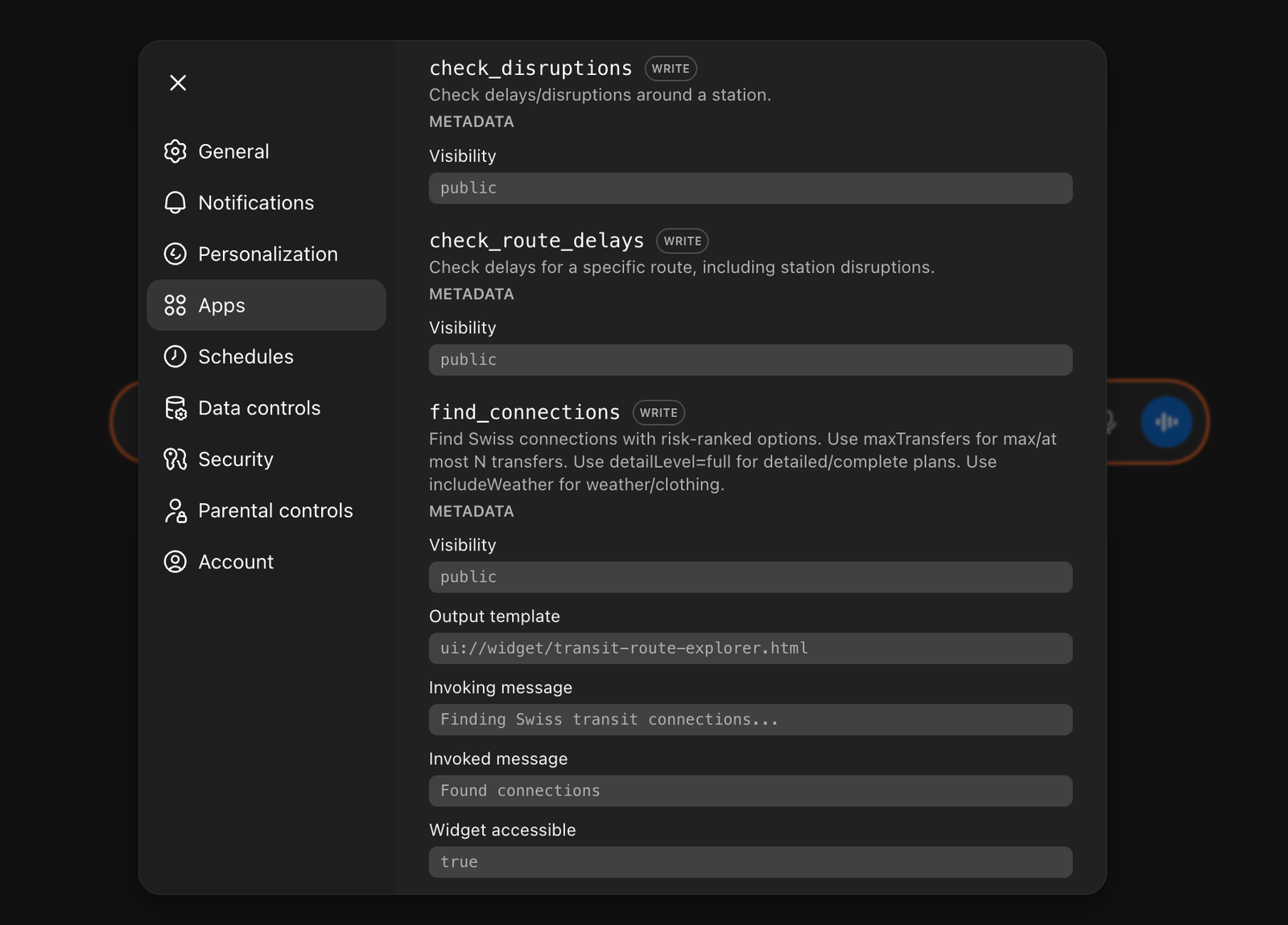
Phase 7: Tool routing and prompt alignment
I also noticed incorrect tool selection and missing parameters in earlier passes. The solution was not “more prompts,” it was clearer prompts. I consolidated the routing logic so natural language maps much more predictably onto the tool parameters.
Examples:
- “arrive by 09:10” →
isArrivalTime = trueanddatetime = 09:10 - “max 1 transfer” →
maxTransfers = 1 - “full details” →
detailLevel = full - “what should I wear” → include the weather path
Phase 8: Performance and token hygiene
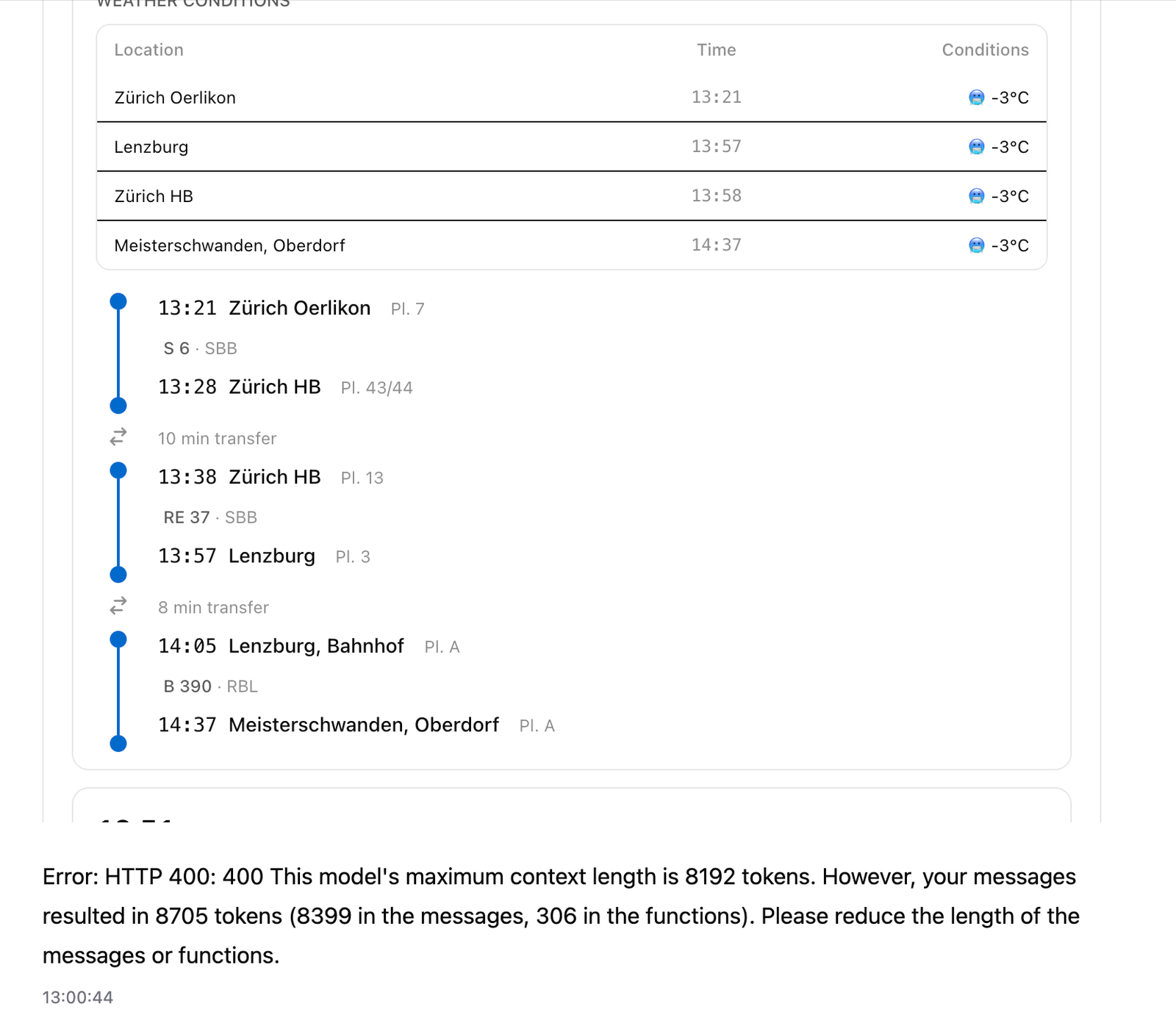
One of the best feedback signals was hitting context and output pressure in the inspector. It exposed very quickly where the app was trying to do too much.
The fixes were mostly subtractive:
- weather stays optional
- tool descriptions stay concise
- default route output stays compact
- unnecessary tools are removed
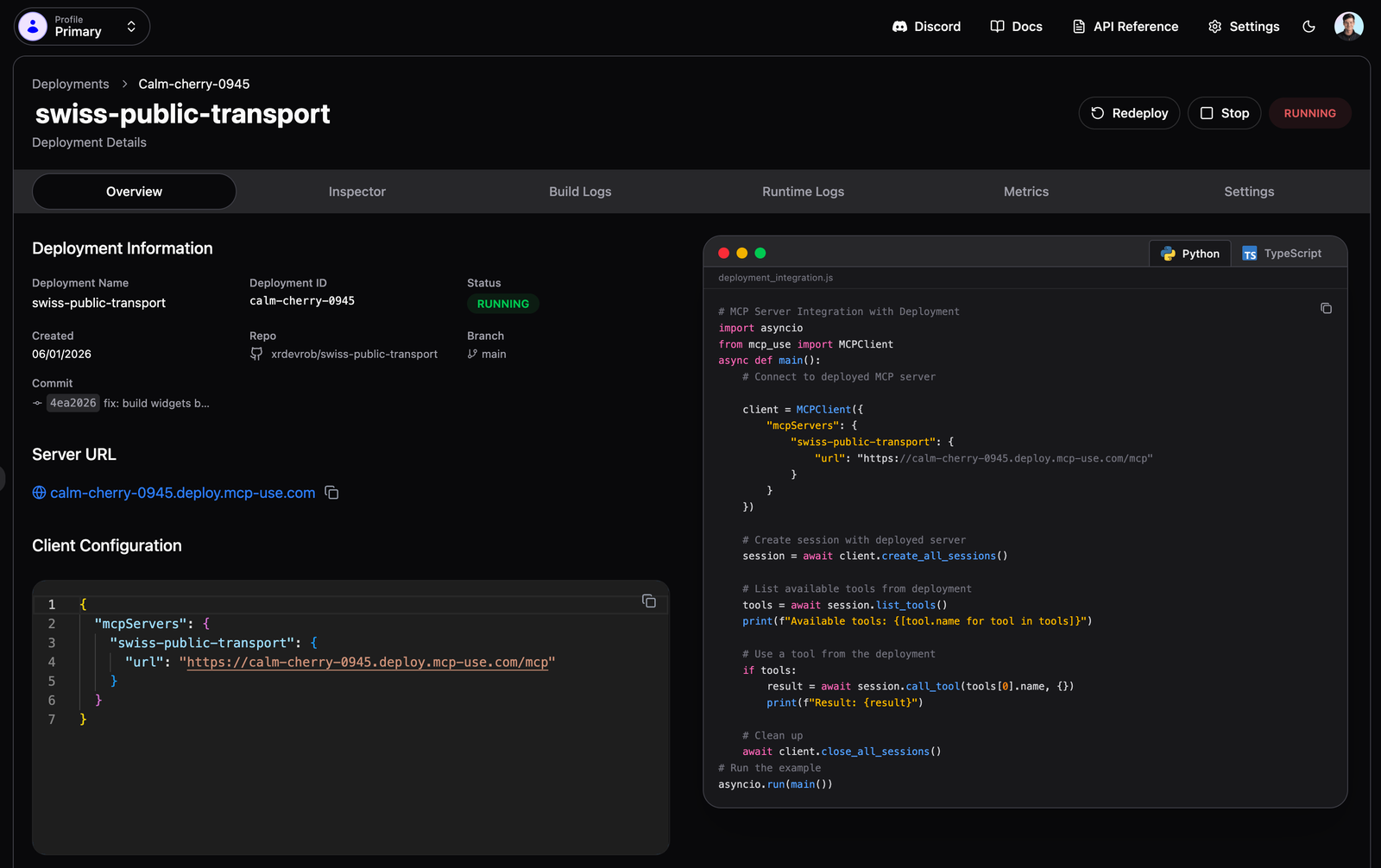
Phase 9: Deployment was the hardest part
Building the actual app was not the most painful part. Deployment was. That was where the stack stopped feeling purely elegant and started feeling real.
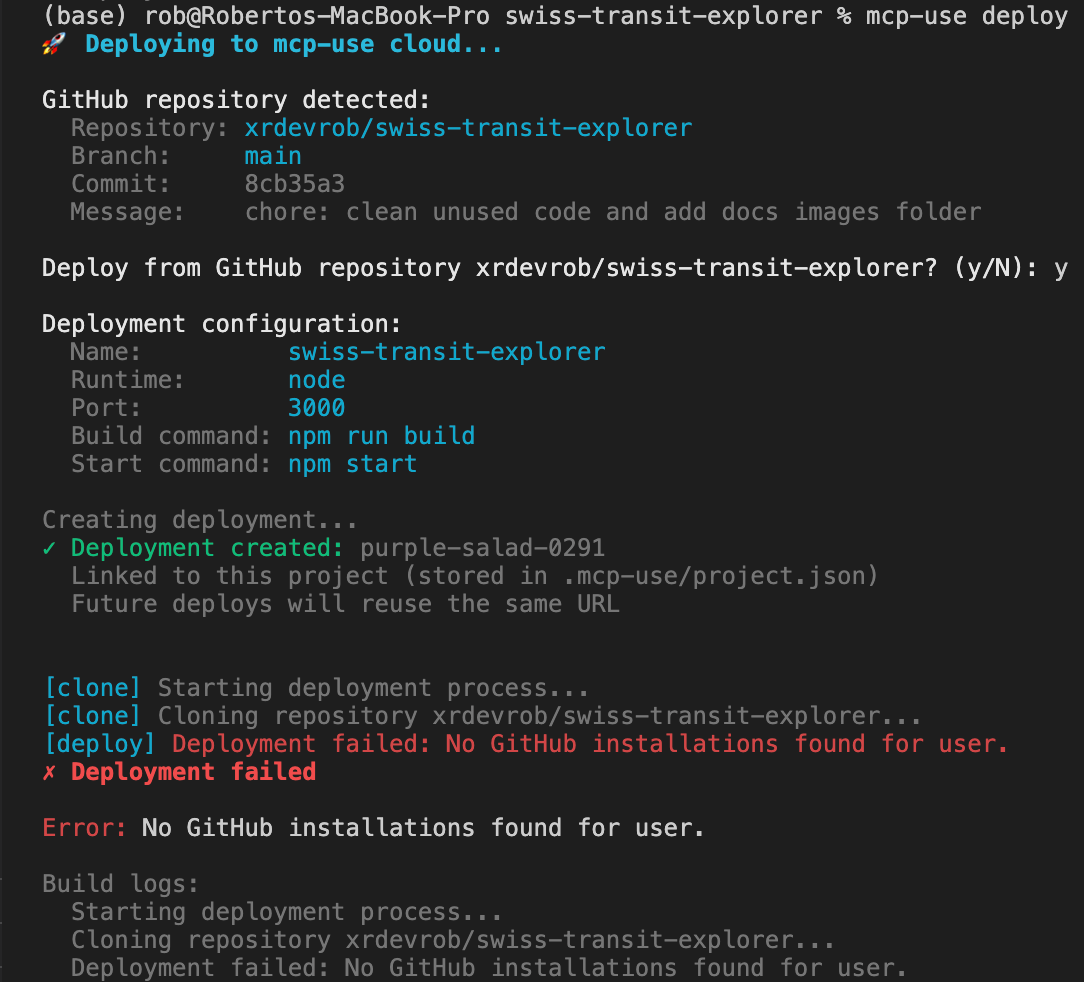
GitHub deployment failed
The first blocker was the GitHub deployment path. The practical workaround was deploying from source instead of relying on the GitHub app route.
Widget assets broke in production
Widgets worked locally but asset paths broke in production. The key fix was build ordering: making sure the right artifacts existed before the server started.
ESM import errors
Production also surfaced classic ERR_MODULE_NOT_FOUND issues because explicit file extensions were required for internal imports.
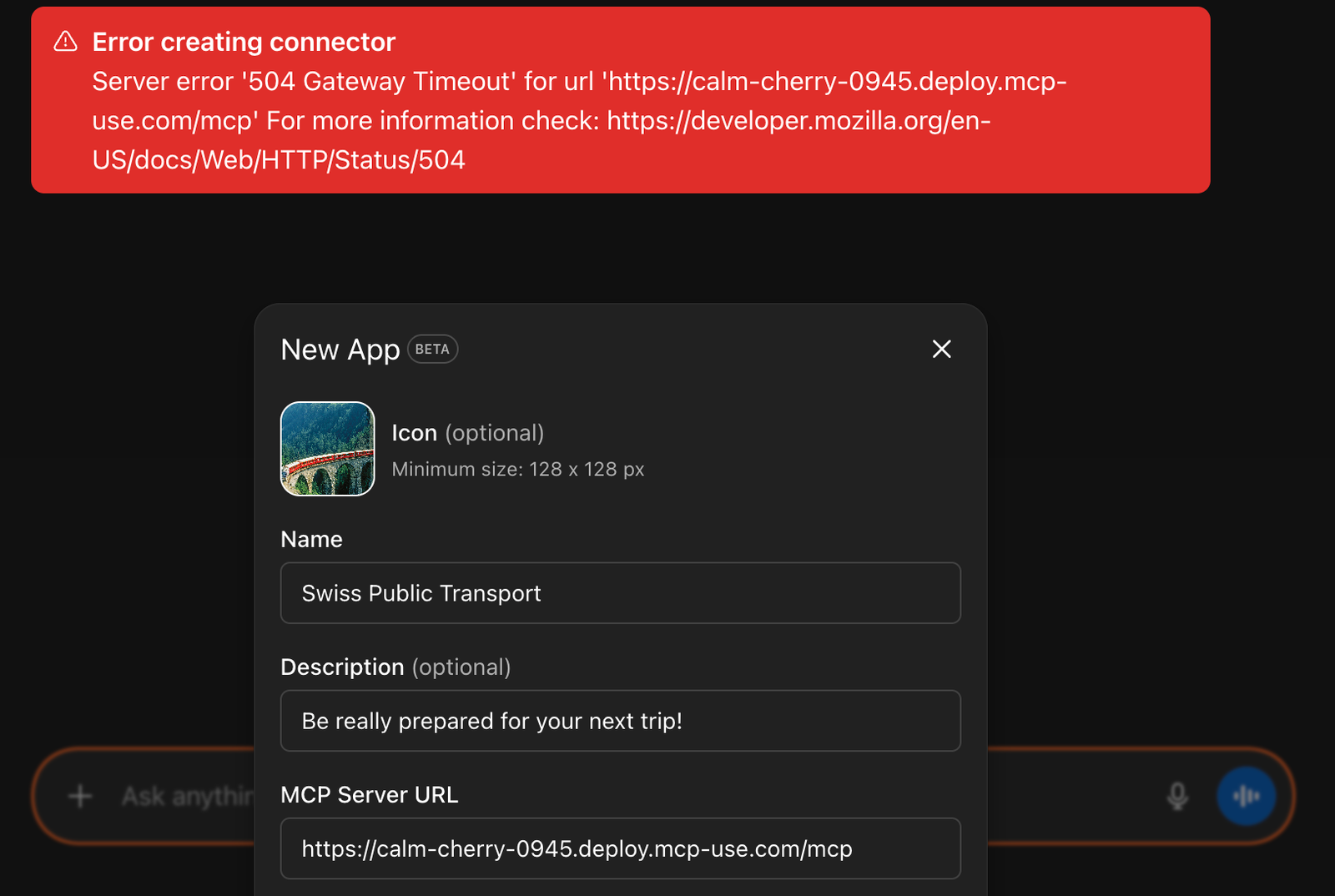
Dev websocket noise
There were also dev websocket issues that looked more severe than they actually were. Not catastrophic, but exactly the kind of thing that slows you down when you are still learning which failures matter and which ones are safe to ignore.
Final outcome
By the end, the app delivered what I wanted from the start:
- ranked connections with reasons
- risk pills instead of noisy dashboards
- buffer-aware planning for arrive-by requests
- optional weather and GTFS enrichment
- route and station widgets that fit naturally inside ChatGPT
Feedback for the mcp-use team
Running through the full loop made the weak spots obvious in a useful way:
- deployment guidance should be sharper when GitHub app setup is the blocker
- widget asset diagnostics could be more explicit
- dev-only websocket issues should be easier to distinguish from real failures
- prompt and token-size guidance deserves stronger documentation for non-trivial apps
None of that changes the core point. mcp-use took MCP from something I was curious about to something I could actually build with and reason about.
Takeaways
This project was valuable because it made MCP concrete. Instead of treating the protocol as future infrastructure that will eventually matter, I ended up with a working product that exposed tools, accepted structured parameters, rendered widgets, and created real implementation and deployment problems to solve.
If I keep pushing Swiss Transit Explorer, the next steps are obvious: stronger caching, scheduled GTFS refreshes, clearer transfer warnings, and a more durable deployment path. But as a first MCP server and ChatGPT app, it already did the important thing: it turned a vague shift in software into something I could build, test, understand, and ship.
Related links: GitHub repo, local setup instructions, demo video, and the original Medium version.